A friend who runs training for a 4,000-person company told me something that stuck. “We used to spend six weeks and a five-figure budget making one onboarding video,” she said. “Last quarter we made forty, in nine languages, and nobody booked a studio.” The tool behind that shift was Synthesia — and after a month of putting it through real work, I understand why it’s become the quiet default inside so many big companies.
This Synthesia review 2026 is the honest write-up of that month. I built training modules, marketing clips and a few multilingual experiments, and I went looking for the cracks. There are some. But the headline is straightforward: if you make business video at any kind of scale — especially training, onboarding or anything that needs to exist in twelve languages — Synthesia is one of the most capable AI video tools you can buy. Whether it’s the right one for you depends on a few things I’ll walk through.
Visit Synthesia and try the free plan →
What Synthesia actually is
Synthesia turns a written script into a finished video of a realistic person — an “AI avatar” — speaking it. You type, you pick a presenter and a voice, you hit generate, and a few minutes later there’s a polished video that looks like it was shot in a studio. No camera, no crew, no re-takes.
It’s not a new idea — HeyGen and a handful of others do the same broad thing — but Synthesia got there early, in 2017, and built its reputation on one specific strength: trust. It’s the AI video platform that more than 90% of the Fortune 100 reportedly use, and that isn’t an accident. Synthesia leaned hard into the things big organisations actually care about — security, compliance, brand control, governance, review workflows — while rivals chased raw avatar count. By 2026 it offers 230-plus stock avatars, voices and lip-synced delivery in 140-plus languages, and a genuinely deep set of enterprise features.
The 2026 release added something worth flagging: AI Playground, a workspace built into every plan — including the free one — that gives you access to frontier generative-video models like Veo 3.1 and Sora 2 for creating b-roll and scene assets. Synthesia also improved its PowerPoint-to-video conversion, which now keeps your slide design and turns speaker notes straight into a script. That last feature alone is quietly brilliant for anyone in corporate training.
Who Synthesia is really for
Six weeks in, I’d say Synthesia earns its keep most clearly for a specific kind of buyer.
Training and L&D teams are the heartland. If your job is producing onboarding, compliance and product-training video, Synthesia is built for you — the PowerPoint import, the multilingual dubbing, the review and approval flow, the brand kit. HR and internal-comms teams use it for policy updates and announcements. Educators and course creators lean on it to localise lessons. Marketing teams at larger companies like that it keeps everything on-brand and on-message across regions. And global companies of any kind use it because translating a video used to mean re-shooting it; now it means clicking a language.
Who should look elsewhere? If you’re a solo creator or a small marketing team chasing the absolute newest avatar realism and the lowest price, HeyGen is probably the better fit — I’ll get to that comparison properly below. And if your work is cinematic or narrative, no AI avatar tool is your answer. Synthesia is a workhorse for structured, repeatable, professional video. Know whether that’s what you need.
The features that actually matter
AI avatars and the 2026 customisation update
Synthesia’s avatars are excellent — not quite as flashy as HeyGen’s newest generation in a side-by-side, but genuinely professional and, crucially, consistent. The 2026 update added customisable avatars that can perform simple actions and gestures, which closes a lot of the “they just stand there” gap. You also get personal avatars — a digital twin of yourself or a colleague — on the Creator plan and above. For a company that wants its actual head of training fronting every module without filming them forty times, that’s the whole pitch.
140+ languages and AI dubbing
This is Synthesia’s superpower. Write or record once, then translate the whole video — voice and lip-sync — into any of 140-plus languages. The AI dubbing is clean, and for the major world languages it’s genuinely good. For a company onboarding staff across continents, this single feature can replace an entire localisation budget. It’s the reason my friend’s team went from one video to forty.
AI Playground, templates and PowerPoint import
AI Playground — the new generative-video workspace with Veo 3.1 and Sora 2 — is a smart addition, and the fact that it’s on every tier including free is generous. It’s for creating scene assets and b-roll, not full avatar videos, but it means you’re not jumping between tools. The template library (60-plus, professionally designed) and the PowerPoint-to-video import round out a workflow that’s clearly designed around how corporate teams actually work: most of them are starting from a slide deck, not a blank page.
Collaboration, brand control and security
This is where Synthesia genuinely pulls ahead of rivals, and it’s the least glamorous part to write about. Shared workspaces, commenting, review-and-approve flows, brand kits that lock fonts and colours, SSO on enterprise, and a serious compliance posture (SOC 2, ISO 27001, GDPR). If you’re going to put a tool in front of a legal or IT team for approval, these are the features that get you through the meeting. HeyGen has been catching up here, but Synthesia still sets the bar.
Synthesia pricing in 2026
Synthesia pricing is measured in video minutes, and that framing matters — you’re buying a finished-minutes allowance, not unlimited generation. Here’s the 2026 breakdown.
| Plan | Price (annual) | Video minutes | Avatars | Best for |
|---|---|---|---|---|
| Free | $0 | 3 min / month | 9 | Trying it out |
| Starter | $18/mo ($29 monthly) | 120 min / year | 125+ | Individuals, small teams |
| Creator | $64/mo ($89 monthly) | 360 min / year | 180+ | Active creators, departments |
| Enterprise | Custom | Unlimited | 240+ | Large orgs, compliance |
The Synthesia free plan gives you 3 minutes of video a month, 9 of the 230-plus avatars, and access to all 140-plus languages — but exports are watermarked and can’t be downloaded clean. It’s a real way to answer “is Synthesia worth it” for yourself before paying, just not something you can use professionally.
The Starter plan at $18/month on annual billing removes the watermark, unlocks downloads, adds AI dubbing and bumps you to 125-plus avatars. The catch most people miss: 120 minutes is a yearly allowance, not monthly — roughly 10 finished minutes a month. If you produce more than that, you’ll feel the ceiling.
The Creator plan at $64/month annual is where serious users land — 360 minutes a year, personal avatars, API access, interactive video, branded video pages. And Enterprise is the unlimited, custom-priced tier with SSO, team collaboration and dedicated support, which is where most large-company deals actually sit.
How much does Synthesia cost in practice? For an individual, budget $18/month and watch your minute count. For a department, Creator at $64/month is realistic. For a company rolling it out broadly, you’re in an Enterprise conversation — and honestly, that’s the tier Synthesia is really built around.
Check current Synthesia pricing →
Where Synthesia frustrated me
No month-long test is honest without the gripes. The minute-based pricing is the first one — because the allowance is annual, it’s genuinely easy to misjudge your usage and run dry in month nine. I’d rather it were a clear monthly number.
The Starter plan’s avatar and feature limits also nudge you toward Creator faster than the headline price suggests; the real “I can work properly” tier is $64/month, not $18. Avatar realism, while very good, isn’t the outright leader anymore — HeyGen’s newest avatars edged ahead in my side-by-side viewing. And like every tool in this category, Synthesia is a poor fit for anything that needs genuine emotional performance or cinematic craft; it’s built for clear, professional delivery, not art. None of this is disqualifying for the target buyer. But walk in with your eyes open.
Synthesia vs HeyGen — the comparison everyone asks for
If you’re researching Synthesia, you’re almost certainly also looking at HeyGen. Here’s the honest side-by-side.
| Synthesia | HeyGen | |
|---|---|---|
| Stock avatars | 230+ | 1,100+ |
| Languages | 140+ | 175+ |
| Cheapest paid plan | $18/mo annual | $24/mo annual |
| Avatar realism | Excellent | Slightly ahead |
| Enterprise & compliance | Best in class | Good |
| Collaboration / governance | Best | Good |
| Best for | Training, L&D, big companies | Marketing, creators, sales |
My honest read: for corporate training, L&D, HR and any large organisation where compliance, governance and review workflows matter more than having the flashiest avatar, Synthesia is the safer, better choice — it’s built for exactly that buyer. For solo creators, marketing teams and sales who want more avatars, more languages, a lower entry price and a slight edge on raw realism, HeyGen wins. They’re closer than either company’s marketing admits, and the right answer genuinely depends on which side of that line you sit. As for other Synthesia alternatives — D-ID is the budget “talking photo” option, and Colossyan is a sharp choice if your use case is purely workplace learning.
How I’d actually use it
A few patterns worth stealing. If you run onboarding, rebuild one module in Synthesia from your existing slide deck using the PowerPoint import, then dub it into every language your staff speak — time both against your old process and the result will make the decision for you. If you’re in product marketing, use it to keep explainer videos current: when a feature changes, you edit a script line instead of re-shooting. If you’re an educator, localise your best lesson first and watch the completion rates from non-English learners. The throughline is the same: Synthesia is at its best when the same video needs to exist many times, in many languages, on-brand, forever.
Getting started with Synthesia
If you want to know how to use Synthesia without a manual: sign up free at synthesia.io, pick “Create video,” choose a template or import a PowerPoint, select an avatar and a voice, paste or write your script in short sentences, and generate. To localise, hit translate and choose your languages. Your first watchable video takes about fifteen minutes; by the third you’ll be at five. The learning curve is gentle — it’s deliberately built for non-editors.
Start your first Synthesia video →
Frequently asked questions
Is Synthesia worth it in 2026?
For training, L&D, HR and larger organisations, yes — confidently. The multilingual dubbing and governance features pay for themselves fast. For solo creators chasing the lowest price and newest realism, HeyGen may suit you better.
How much does Synthesia cost?
There’s a free plan, then Starter at $18/month (annual) or $29 monthly, Creator at $64/month (annual) or $89 monthly, and custom-priced Enterprise. Remember that minute allowances are annual, not monthly.
Is Synthesia better than HeyGen?
For corporate training, compliance-heavy environments and big companies, yes. For marketing, sales and independent creators, HeyGen generally wins on price, avatar count and realism. It genuinely depends on your use case.
Does Synthesia have a free plan?
Yes — 3 minutes of video a month, 9 avatars and all 140+ languages, with watermarked exports. It’s a genuine way to evaluate the tool before paying.
How many languages does Synthesia support?
Over 140, with AI dubbing that translates both the voice and the lip-sync. It’s the platform’s strongest feature for global teams.
Can I make a personal avatar of myself?
Yes, on the Creator plan and above — Synthesia builds a digital twin from recorded footage, and Enterprise allows unlimited personal avatars.
What are the best Synthesia alternatives?
HeyGen is the closest rival and the better pick for creators and marketers. D-ID is a cheaper talking-photo option, and Colossyan is strong if your focus is purely workplace training.
The verdict
Synthesia has earned its reputation as the AI video platform companies trust. Avatar quality is excellent, the 140-plus-language dubbing is genuinely transformative for global teams, and the collaboration and compliance features are still the best in the category. The minute-based pricing asks for attention, and the realism crown has slipped slightly to HeyGen — but neither changes the core picture.
Buy Synthesia if you make business video at scale, especially training, onboarding or anything multilingual, and you value governance and brand control. Choose HeyGen instead if you’re a creator or marketer who wants more avatars and a lower entry price. For the corporate-training buyer, though, this is the tool I’d put at the top of the list in 2026.
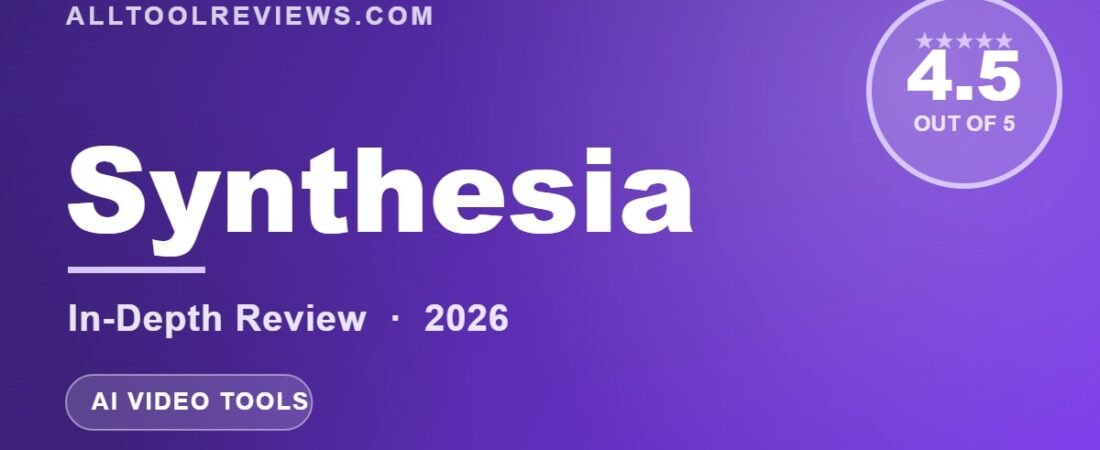
Our rating: 4.5 / 5.
Get started with Synthesia — free plan available →
Disclosure: AllToolReviews may earn a commission if you sign up through our links, at no extra cost to you. It never changes our verdict — we test every tool ourselves and say what we found. More in our Affiliate Disclosure.